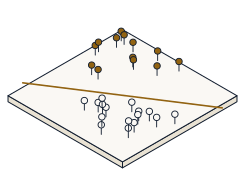
Measure a margin, watch it widen as you relax C, check which points are support vectors, then let a kernel separate a ring in the sandbox — and predict, before you read it off the panels, the margin width 2 / ||w|| of the textbook two-point set, its value at a small C, whether a deep interior point is a support vector, and the accuracy an RBF kernel reaches on concentric rings.
A support vector machine picks, out of the infinitely many lines that separate two classes, the one leaving the widest empty corridor — its width is 2 / ||w||, so maximising the margin means minimising ||w||. Only the points touching the corridor edge, the support vectors, shape the boundary; everything deeper inside has dual variable alpha = 0. The parameter C trades margin width for training errors, and the kernel trick lets that corridor curve — an RBF kernel wraps a ring a straight line can never split.
Open the sandbox. Steps 1–3 are hand computations on textbook point sets that the demo's own solver confirms — the margin readout and the highlighted support vectors. Step 4 you dial straight in: set the dataset to circle and compare the linear and RBF kernels on the accuracy panel.
Dataset  ->  linear      Kernel  ->  linear      C  ->  1
For step 4  ->  Dataset: circle   then flip Kernel: linear  vs  RBF
The panel reports the margin width 2 / ||w||, circles the support vectors, and shows the training accuracy. The boundary itself is drawn by evaluating the decision function on a grid, not fitted by eye.
Take the textbook pair: (-1, 0) in one class and (1, 0) in the other. The widest corridor is the vertical line x = 0, giving w = (1, 0), so the margin is 2 / ||w||. Predict the margin width, then confirm it against the demo's readout.
margin = 2 / ||w|| = 2 / 1 = 2. The two points sit one unit either side of the boundary, so the empty corridor spans the full 2 units between them — the largest gap any separating line can leave.
Now lower C to 0.1 on the same two points. A small C stops paying much for margin violations, so the dual weights cap at C and ||w|| = 2C, which makes the margin 1 / C. Predict the margin at C = 0.1, then drag the slider down and watch it grow.
margin = 1 / C = 1 / 0.1 = 10 — five times the hard-margin width of 2. Smaller C buys a wider, more tolerant corridor; that is the whole soft-margin trade-off in one slider.
Add a third point far inside its own class, at (5, 0) in the +1 class, to the two-point set. Only points on the corridor edge shape the boundary, so this one should carry no weight. Predict its dual variable alpha, then look at which points the demo circles as support vectors.
alpha = 0 (to numerical precision). The point at (5, 0) is nowhere near the corridor, so moving it does not budge the boundary at all — only the two points on the margin are support vectors.
Set the dataset to circle — one class inside a ring of the other — and fit the linear kernel first: no straight line can enclose the inner blob, so accuracy stalls near 0.66. Now switch the kernel to RBF. Predict its training accuracy, then read the panel.
The RBF kernel reaches training accuracy 1 — it separates the ring perfectly, where the linear kernel was stuck near 0.66. That gap is the kernel trick: mapping into a curved feature space makes the classes linearly separable there, without engineering a single new feature by hand.
Everything above is waiting in the sandbox. Drag C across its range and watch the margin breathe, move a point in and out of the corridor to see support vectors appear and vanish, and switch datasets and kernels to find where a straight line fails and the RBF kernel rescues it.
- Measured the two-point margin 2 / ||w|| = 2, the widest corridor a line can leave
- Lowered C to 0.1 and watched the margin widen to 1 / C = 10 — the soft-margin trade-off
- Confirmed a deep interior point has alpha = 0 — not a support vector
- Saw an RBF kernel reach accuracy 1 on a ring the linear kernel could not split — the kernel trick
- Every value you predicted is the demo's own margin and kernel arithmetic, not a picture